Authentication Configuration
This page allows you to configure authentication credentials for API calls. Since this information is sensitive, it is stored in an encrypted database table.
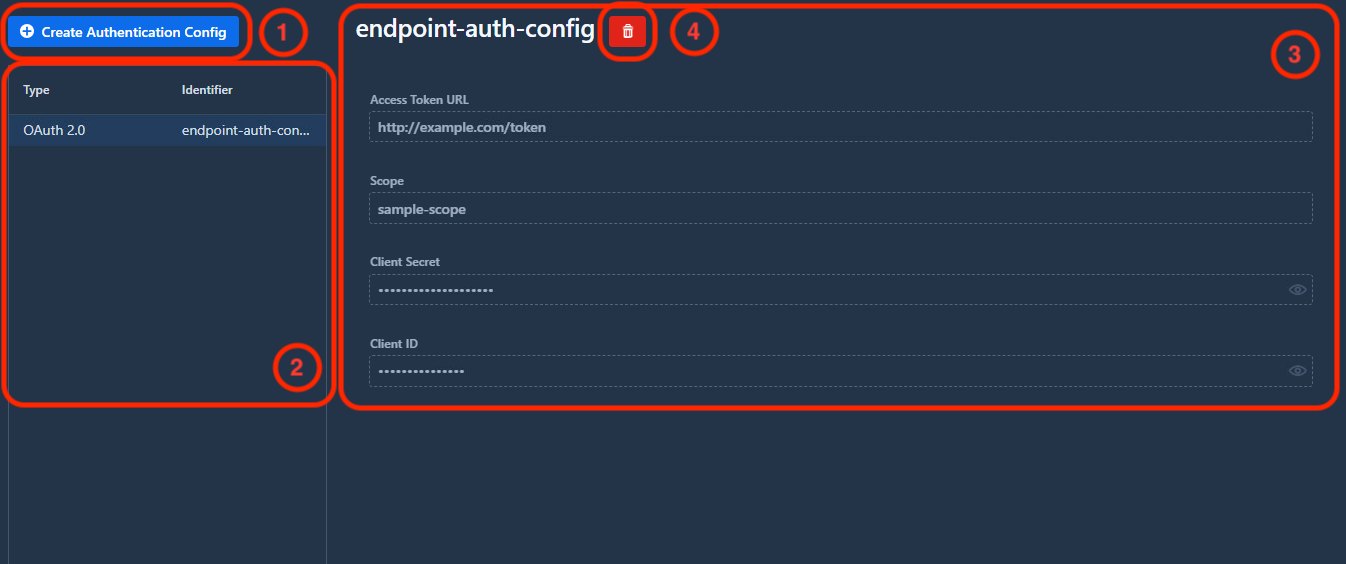
1. Create an Authentication Configuration
Click the Create Authentication Config button to begin. You’ll be prompted to enter a unique identifier for the new configuration.

Requirements:
- The identifier must be unique (an error will appear if a duplicate exists)
- We recommend avoiding spaces in the identifier for easier reference in profiles
Click Create to proceed. The configuration will be added to the list on the left and its details will appear in the right panel.
OAuth 2.0
Currently, OAuth 2.0 is the only supported authentication type.
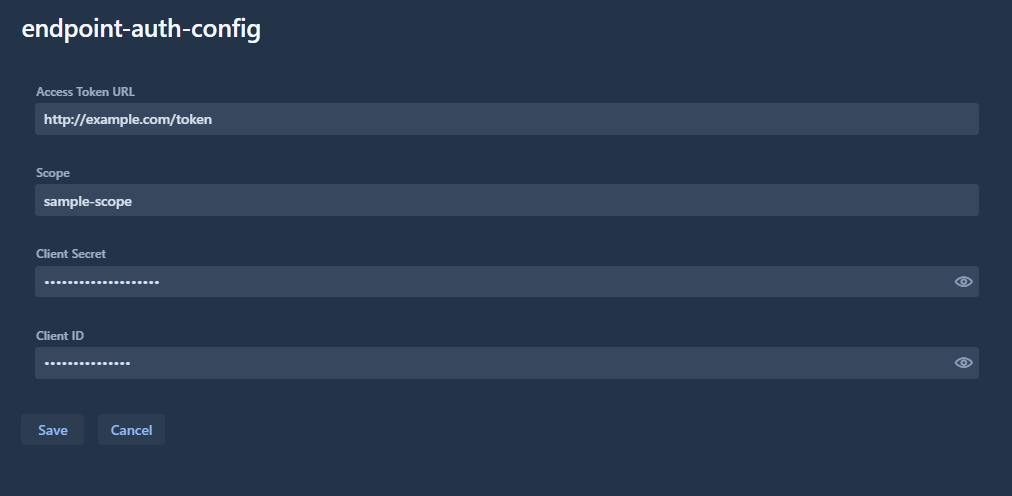
Required fields:
| Field | Description |
|---|---|
| Access Token URL | The OAuth 2.0 token endpoint |
| Scope | Required scopes (separate multiple scopes with whitespace) |
| Client ID | OAuth 2.0 client identifier |
| Client Secret | OAuth 2.0 client secret |
How it works:
When an API call references this configuration (via the authConfig parameter):
- Karnak checks if a valid access token is available
- If yes, the token is added to the request for authentication
- If no, a new token is requested using the configuration details
- The API call proceeds with the authenticated token
Warning
Authentication configurations cannot be modified after creation. To make changes, you must delete and recreate the configuration.
2. Authentication Configuration List
All available authentication configurations are displayed in the left panel. Select a configuration to view its details on the right.
3. Configuration Details
The details view displays all configuration information in read-only mode.
To modify a configuration, you must delete it and create a new one.
4. Delete Configuration
To delete a configuration:
- Select it from the list
- Click the red trash bin icon next to its identifier
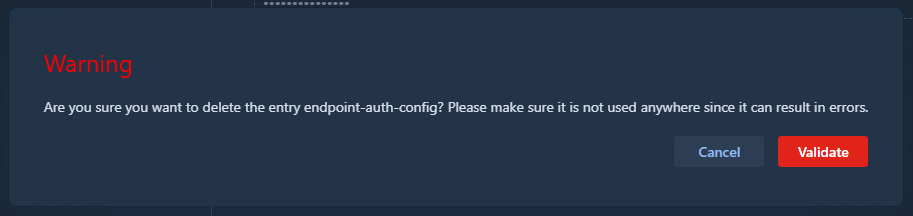
- Confirm the deletion in the popup
Info
Deleting a configuration in use may cause errors in your workflows. Karnak does not verify whether a configuration is referenced by profiles or de-identification processes before deletion. Ensure the configuration is not in use before deleting it, or transfers will fail.