Sources
Sources
The Sources tab displays all configured sources for the selected forward node.
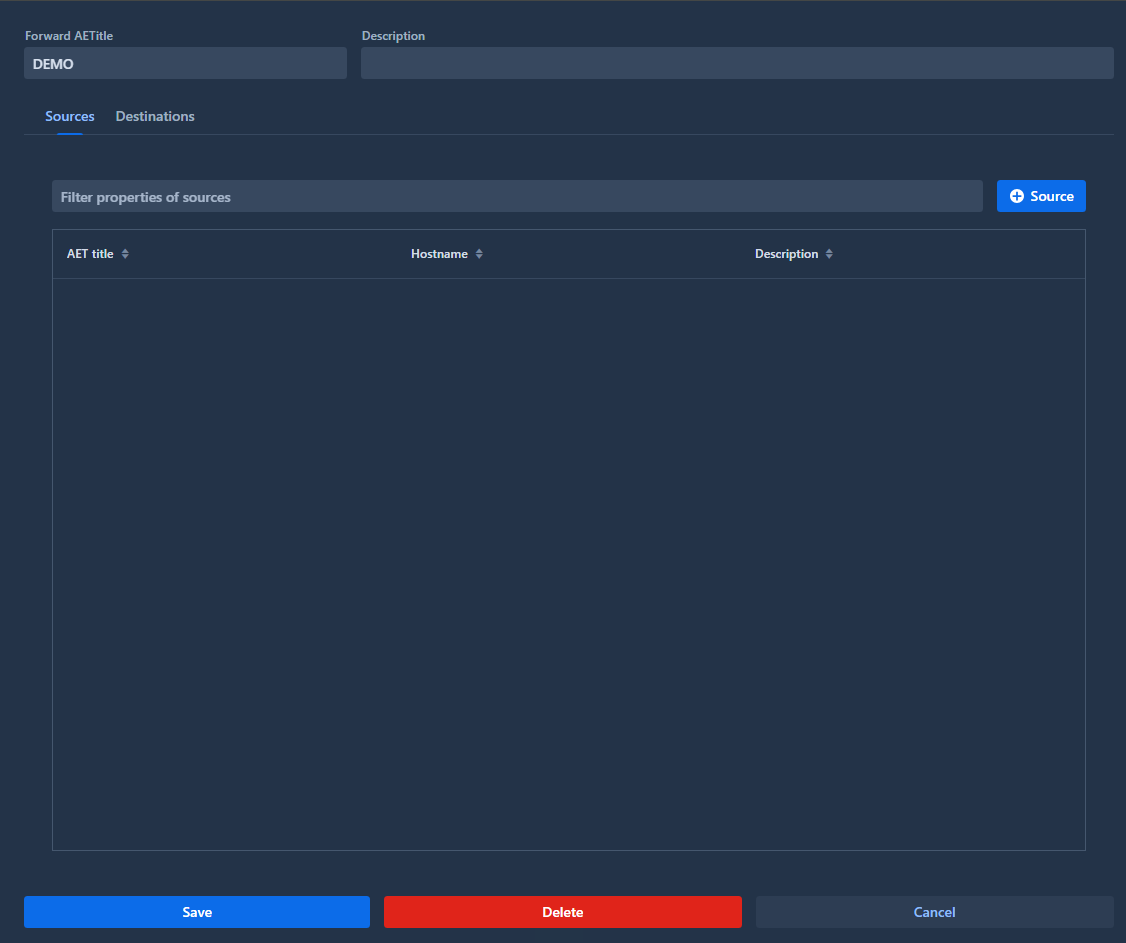
A source is used to control which entities can send DICOM data to the forward node. It validates that received DICOM instances come from a known Application Entity Title (AET).
Info
If no sources are defined, the forward node will accept DICOM instances from any AET without restrictions.
Create a source
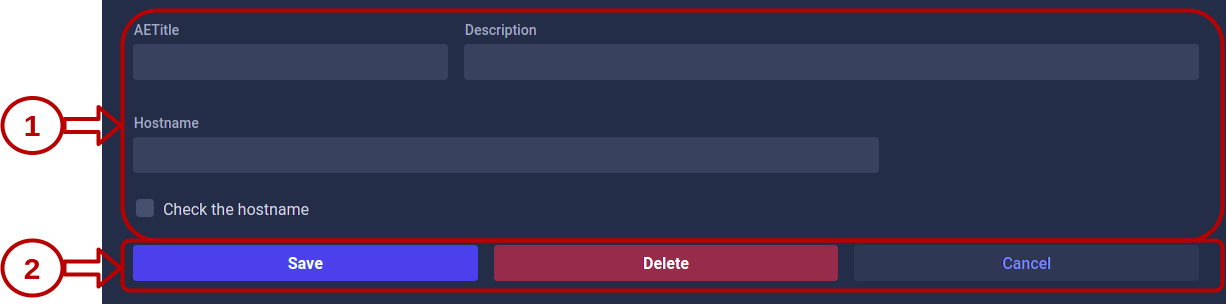
To create a new source, click the Source button and configure the following fields:
| Field | Description | Required |
|---|---|---|
| AETitle | Application Entity Title of the source DICOM node | Yes |
| Description | Optional description to identify the source | No |
| Hostname | Hostname or IP address of the source DICOM node | No* |
*The Hostname field becomes required if you enable the “Check the hostname” option. When enabled, Karnak will validate both the AET and the hostname of incoming DICOM instances.
Source validation behavior
When a DICOM instance is received by the forward node:
- With sources configured: Only instances from registered AETs (and hostnames, if enabled) are accepted
- Without sources configured: All instances are accepted.
This provides flexible security control for your DICOM workflow.